
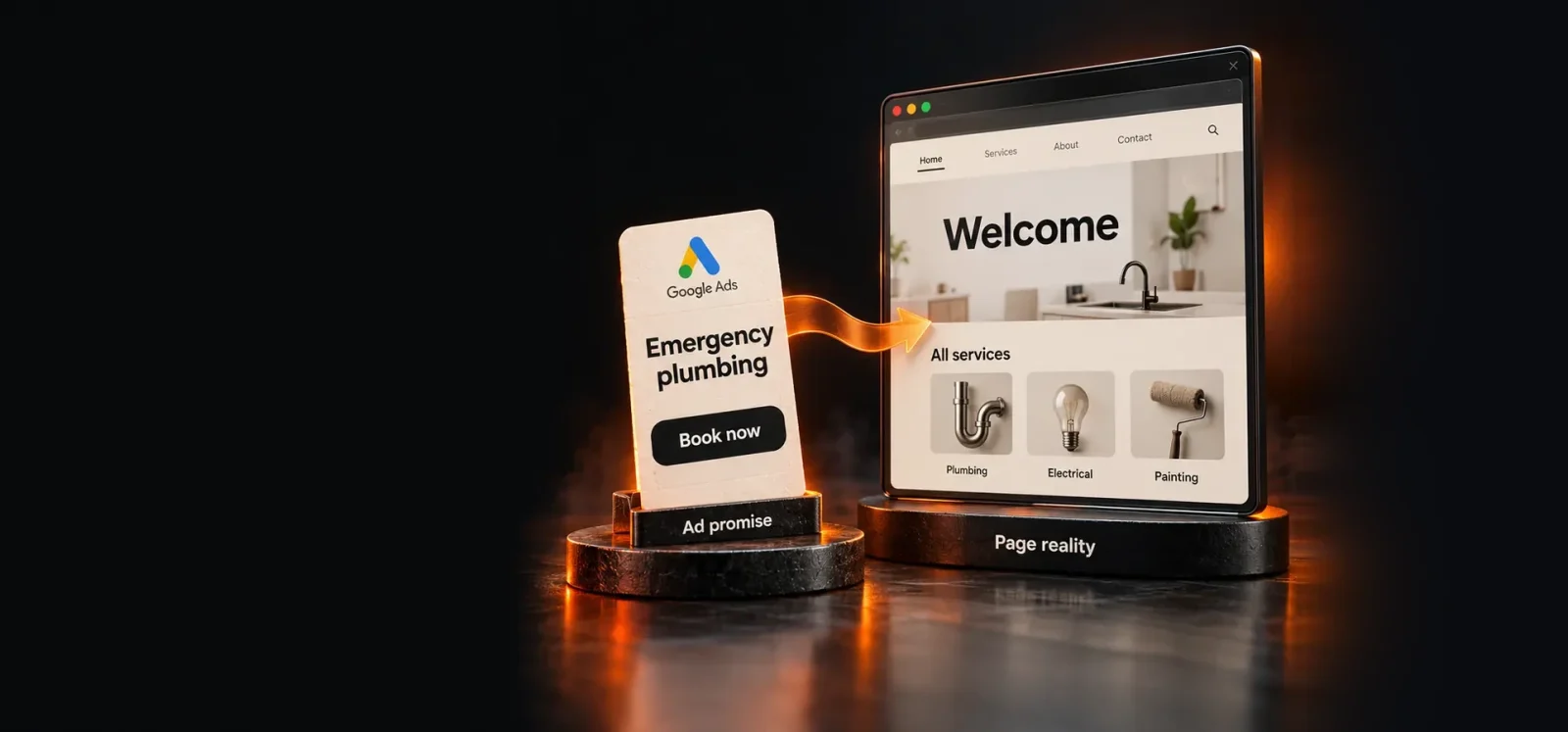

Landing page experience below average is a Google Ads status that appears next to a keyword. It tells you the page people reach after clicking is less relevant or useful than it could be. It is a diagnosis, not a penalty, and it points at the page rather than the ad.
This guide explains what Google measures and how to find the pages behind the status. The fixes follow the order we apply them in Google Ads landing page optimization work.
What a below average landing page experience means
Landing page experience is one of three Quality Score components, rated Above average, Average or Below average for each keyword. Google’s definition: “How relevant and useful your landing page is to people who click your ad” (Google). The other two components are expected clickthrough rate and ad relevance.
A Below average rating compares your page with other advertisers’ pages for the same keyword. It is reported per keyword, so one weak page can sit beside strong ones in the same account.
Quality Score itself is a diagnostic. Google says it “is not an input in the ad auction” (Google Ads Help).
The quality it reflects still matters. Google considers ad quality when setting Ad Rank, and higher quality ads typically cost less per click (Google Ads Help).

What Google measures on your landing page
Google judges whether the page delivers what the keyword and the ad promised, and how easy it is to use. Its own recommendations for landing pages are specific (Google Ads Help):
- “Choose a landing page that closely matches your ad and keywords.”
- “Your landing page should also mirror the call-to-action in your ad text.”
- “Make sure your website is mobile-friendly”
- “Make sure your landing page is easy to navigate”
- “Be clear about your product or service and what it does.”
When the status is not Above average, Google’s advice is short. Match users’ expectations, and keep messaging consistent from ad to page (Google Ads Help). Most Below average ratings trace back to those two lines.
How to check landing page experience in Google Ads
You check landing page experience at the keyword level, in the Keywords table. Add the Quality Score columns, including Landing page exp., from the column picker (Google Ads Help). Columns marked “(hist.)” show past values for the date range.
Then group the Below average keywords by their final URL. A handful of pages usually account for most of the problem. Those are the pages to fix first, in order of the spend behind them.
For mobile problems, open Insights & reports, then Landing pages. The Mobile-friendly click rate column falls below 100% when a page failed Google’s mobile-friendly test on some clicks (Google Ads Help).
How to improve landing page experience: causes and fixes
Most Below average ratings come from a mismatch between the search, the ad and the page. Speed and mobile problems come next. The table maps each cause to how to check it and how to fix it.
| Cause | How to check | Fix |
|---|---|---|
| Page does not match the keyword | Read the search terms, the ad and the page headline side by side | Send each ad group to a page about its keywords, and repeat the ad’s promise in the headline |
| Call to action differs from the ad | Compare the ad’s call to action with the page’s main button | Mirror the ad’s call to action on the page |
| Homepage as the final URL | List final URLs in the ads table | Point each ad group at the page that answers its search |
| Slow on mobile | PageSpeed Insights field data, 75th percentile | Bring LCP under 2.5 s, INP under 200 ms and CLS under 0.1 |
| Not mobile-friendly | Landing pages report: Mobile-friendly click rate under 100% | Fix layout, text size and tap targets on phones |
| Hard to navigate | Count the steps from landing to the action | Remove distractions and leave one clear next step |
| Unclear offer | Can a visitor say what you sell and what it costs? | Be clear about the product, the price and what happens next |
Message match: optimize the landing page for Google Ads searches
Message match means the page repeats the promise that earned the click. If the keyword is emergency plumber and the ad promises a one-hour response, the page headline should say both.
Check three things on every Below average page:
- The headline answers the search, in the searcher’s words.
- The offer is the one the ad made, at the price or terms the ad stated.
- The main button uses the ad’s call to action. If the ad offers a free quote, the page should not lead with a demo booking.
A homepage is the most common mismatch. It speaks to every visitor, so it rarely matches one keyword closely. Google defines the landing page as “The webpage where people end up after they click your ad” (Google Ads Help). You choose that page with the final URL, so you can point each ad group at the page that answers its search. If an agency runs the account, this check belongs in what its fee covers.
Page speed and Core Web Vitals
A slow page is a poor landing page experience. Google tells advertisers to check whether mobile speed is costing them customers (Google Ads Help). The standard way to measure speed and responsiveness is Core Web Vitals.
Use the current set. Interaction to Next Paint (INP) replaced First Input Delay (FID) as a Core Web Vital on 12 March 2024 (web.dev). The thresholds for a good experience are (web.dev):
- Largest Contentful Paint (LCP) within 2.5 seconds
- Interaction to Next Paint (INP) of 200 milliseconds or less
- Cumulative Layout Shift (CLS) of 0.1 or less
Google measures these at the 75th percentile of page loads (same source). So most visitors must get a good experience, not only the average one. Check field data in PageSpeed Insights for each landing page, on mobile first.
Google Ads does not publish a Core Web Vitals threshold for Quality Score. Treat the vitals as the measurable version of “keep it quick”, not as a scoring formula.
Mobile usability
Mobile usability decides whether a phone visitor can read the page and act without zooming or hunting. Google’s guidance is direct: “Make sure your website is mobile-friendly” (Google Ads Help).
On a phone, check that text is readable without zooming and that buttons are easy to tap. Forms should ask only for what you need. Keep the main call to action visible without a long scroll. The Landing pages report shows which pages fail the mobile-friendly test, and on what share of clicks.
Navigation and a clear next step
A landing page should make the next step obvious. Google asks for pages that are easy to navigate and clear about the product (Google Ads Help).
In practice, that means one goal per page. Remove menus and links that pull people away from the action the ad promised. Show what the visitor gets, what it costs if that matters to the decision, and what happens after they click.
Forms and trust on the page
The form is where a relevant page still loses the Conversion. Every extra field is a reason to stop, so ask only for what you need to follow up.
Trust matters at the same moment. A visitor deciding whether to hand over details looks for who you are and how to reach you. They also check what happens after they submit. Show the business name, a contact route and a plain line on what happens next, close to the form.
Google puts it plainly: “Be clear about your product or service and what it does” (Google). A page that hides the price, the terms or the company behind the offer asks the visitor to trust it blind.
What not to do
Do not chase a 10 out of 10 Quality Score. Google treats Quality Score as a diagnostic. The aim is a page that converts the traffic the keyword brings, not a perfect number.
Do not rebuild a page before checking tracking. A page that looks like it does not convert may be converting without the Conversion being recorded. Verify the tracking first, then judge the page. Our guide to Google Ads conversion tracking not working covers the checks. Should you fix the existing page or build a new one? We answer that on the landing page optimization page. It also covers how long a Quality Score change takes to show.
Do not judge the result too fast. The status is recalculated as Google gathers new data, so leave a changed page live before reading the new rating.
Landing page fix checklist, step by step
Work through these for each page behind a Below average keyword.
- List the keywords rated Below average, and group them by final URL.
- Rank the pages by the spend behind those keywords.
- Match the headline to the searches that reach each page.
- Match the offer and the call to action to the ad.
- Check mobile: readable text, easy taps, a visible main button.
- Check speed: LCP, INP and CLS at the 75th percentile, on mobile.
- Remove distractions so the page has one clear next step.
- Confirm Conversion tracking fires on the page before judging results.
Frequently Asked Questions
What is a good Quality Score in Google Ads?
Google Ads does not name a good Quality Score number. It reports a 1 to 10 score per keyword and treats it as a diagnostic, not an auction input (Google Ads Help). The useful reading is the three components. Any keyword with a Below average component shows where to work, whatever the total score is.
What is a landing page in Google Ads?
A landing page in Google Ads is the page people reach after they click your ad. Google defines it as “The webpage where people end up after they click your ad”. It is usually the same as the ad’s final URL (Google Ads Help). Each ad can point to a different page, which is why one keyword can rate well while another does not.
Does Google still judge landing pages on relevance, transparency and navigation?
Google’s current Ads guidance covers the same ground in different words. It asks for a page that matches your ad and keywords, mirrors the ad’s call to action, and is easy to navigate. It also asks you to “Be clear about your product or service and what it does” (Google Ads Help). That last point is transparency.
Sources (8)
All checked on 13 October 2026.
- Google Ads Help, About Quality Score for Search campaigns
- Google Ads Help, About ad quality
- Google Ads Help, Optimize your ads and landing pages
- Google Ads Help, Using Quality Score to improve your performance
- Google Ads Help, Evaluate the performance of your landing pages
- Google Ads Help, Landing page
- web.dev, Web Vitals
- web.dev, Interaction to Next Paint is officially a Core Web Vital